
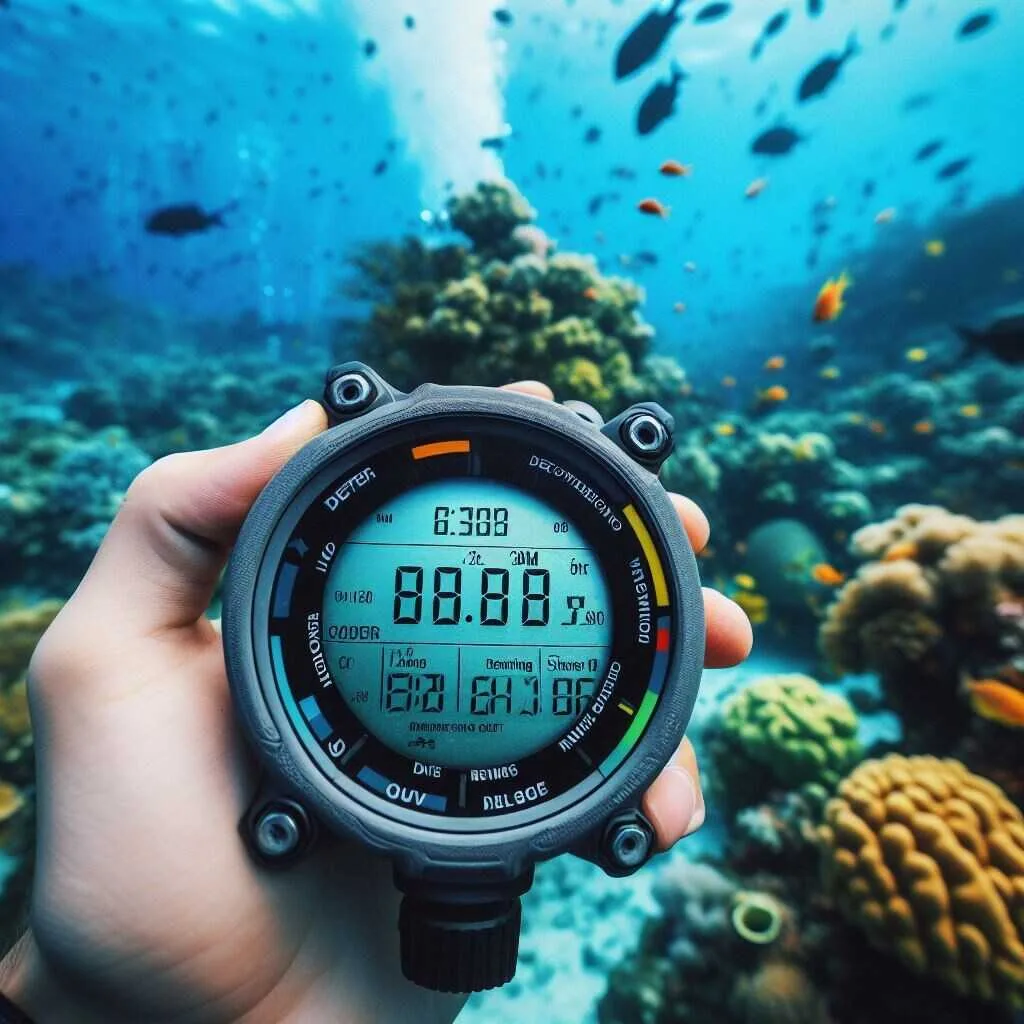
Image source: Web (Bing) / scubaforge.com (Web image (fair-use with source credit))

Today's Exclusive Deals
Limited-time Exclusive Deals. Check current discount on Amazon.
Check Price on Amazon As an Amazon Associate I earn from qualifying purchases.So, you're getting into scuba diving and have that all-important question buzzing around: "Do beginner scuba divers need a dive computer?" It’s a smart question to ask early on, whether you’re planning your first certification dives or dreaming of future underwater adventures.
The short answer is that while you can dive safely with just dive tables, a dive computer offers a significant upgrade in ease, safety, and enjoyment. Manufacturer specifications for many entry-level dive computers, as of 2026, often include features like a depth gauge accurate to within 1 meter and a dive timer.
Quick Answer: Dive Tables vs. Dive Computers for Beginners
No, beginner scuba divers don't strictly need a dive computer. Your certification teaches dive table use. However, computers simplify safety monitoring.
They track depth and time automatically. A dive computer offers enhanced safety and convenience for most beginner divers.
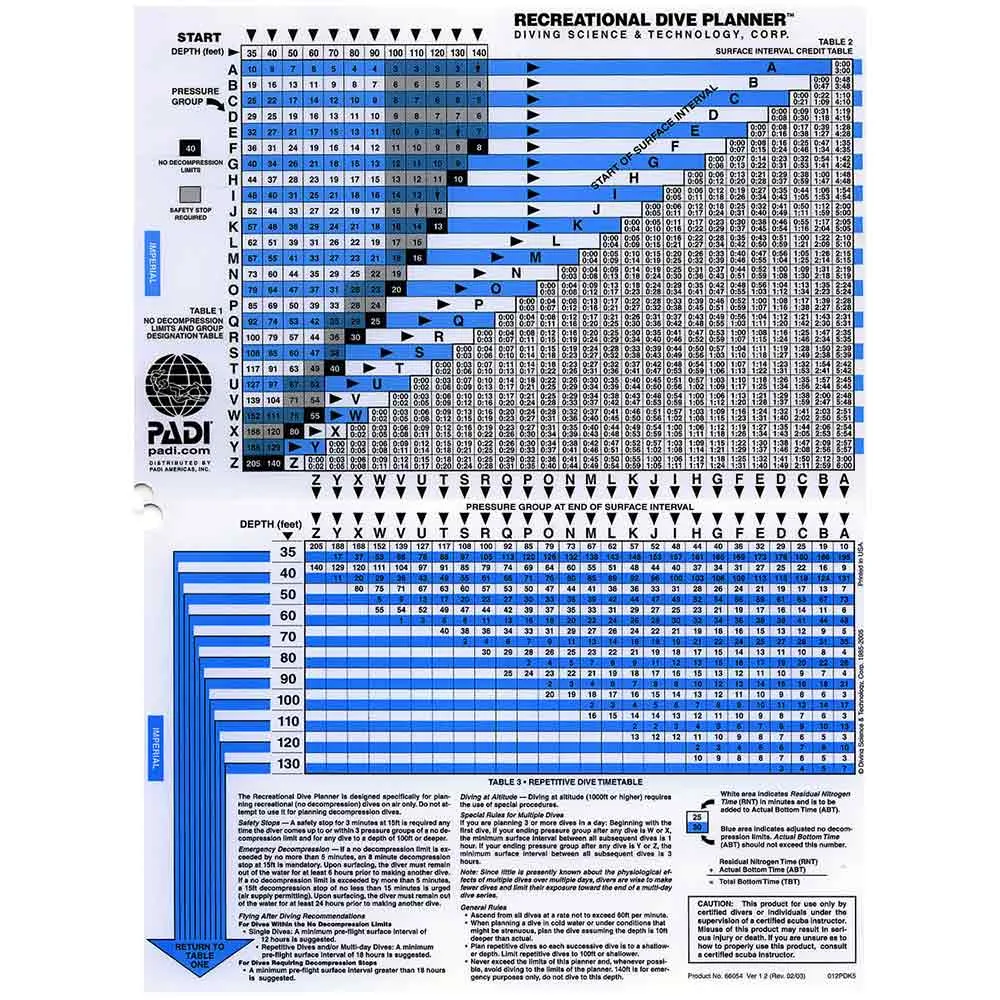
Image source: Web (Bing) / dxdivers.com (Web image (fair-use with source credit))
When Dive Tables Are Enough (and When They're Not)
Dive tables, like the Recreational Dive Planner (RDP) tables developed by organizations such as PADI, are the foundational tool for understanding dive limits. They are essentially a set of grids that help you calculate how long you can safely stay at a given depth and then determine your surface interval required before your next dive. For your initial Open Water Diver course, mastering these tables is a key part of your training.
They are robust, reliable, and have been used successfully by divers for decades. You absolutely can plan and execute safe dives using them, provided you follow the procedures correctly.
However, there's a bit of a learning curve with dive tables. They require careful attention to detail, especially when calculating repetitive dives or dealing with different depths. A mistake in reading or calculating can impact your safety margins.
For simple, single dives in shallow, calm conditions, they work perfectly well. But if you plan multiple dives in a day, or if conditions are less than ideal, manually working with tables can become a bit more complex. They don't offer real-time feedback during the dive, meaning you're doing all the mental math before and between dives.
This is where the convenience and added safety of a dive computer really start to shine.
The Stress Factor: Tables vs. Computers in Real Diving
Let's talk about how dive tables and computers actually feel when you're out there, bubbles rising around you. When you're diving, especially early in your training, there's a lot to think about: your buoyancy, your buddy, the amazing marine life, and, of course, your air supply. Adding the task of pulling out dive tables between dives, especially if it's windy or the boat is rocking, can add a layer of stress that distracts from the enjoyment.
You have to meticulously log your depth and time, then cross-reference it with the tables to figure out your nitrogen loading and next dive’s limits.
A dive computer, on the other hand, does all that heavy lifting for you, automatically and in real-time. It’s right there on your wrist, constantly displaying your current depth, how much time you have left at that depth before hitting your no-decompression limit (NDL), and your ascent rate. This frees up your mental energy to focus on other critical aspects of the dive, like maintaining good buoyancy control or enjoying the view.
For many divers, this reduction in mental load makes diving significantly more relaxing and enjoyable, allowing them to truly immerse themselves in the underwater experience. This is a major reason why so many divers opt for a computer early on.
How to Decide: Are You Ready for a Dive Computer?
Deciding whether to invest in a dive computer is a personal one, and it really comes down to a few key factors that shape your diving habits and comfort level. It's not just about whether you can dive without one, but whether having one will enhance your safety, enjoyment, and future diving progression. Think of it as an upgrade that can make your underwater experiences smoother and more confidence-inspiring.
Your training teaches you the fundamentals, but a computer builds upon that foundation with advanced, user-friendly technology.
If you're planning on doing just one or two very shallow dives on a vacation and are comfortable with rigorous dive table planning, tables might suffice. However, if you envision doing multiple dives per day, exploring deeper sites, or continuing your dive education with advanced courses, a computer quickly becomes an invaluable tool. It's about finding the right balance between cost, necessity, and the kind of diving you want to do.
Our research indicates that most divers who transition to a computer rarely look back, citing the ease of use and the constant, reliable feedback as major benefits.
Essential Beginner Dive Computer Features to Look For
When you start looking at dive computers, it can seem a bit overwhelming with all the technical specs. But for beginners, simplicity and core functionality are key. You don't need a computer that can track multiple gas mixes or sync with a thousand satellites on your first dive.
What you do need are reliable indicators for your most critical dive parameters. These computers are designed to be straightforward, offering the essential information without unnecessary complexity.
Look for a computer that clearly displays your current depth and your maximum depth reached on the dive. A dive timer is crucial, showing you exactly how long you’ve been underwater. Equally important is the No-Decompression Limit (NDL) indicator.
This tells you how much longer you can safely remain at your current depth without needing to perform mandatory decompression stops on ascent. Many beginner models also include an audible or visual ascent rate alarm, which is a vital safety feature to prevent ascending too quickly.
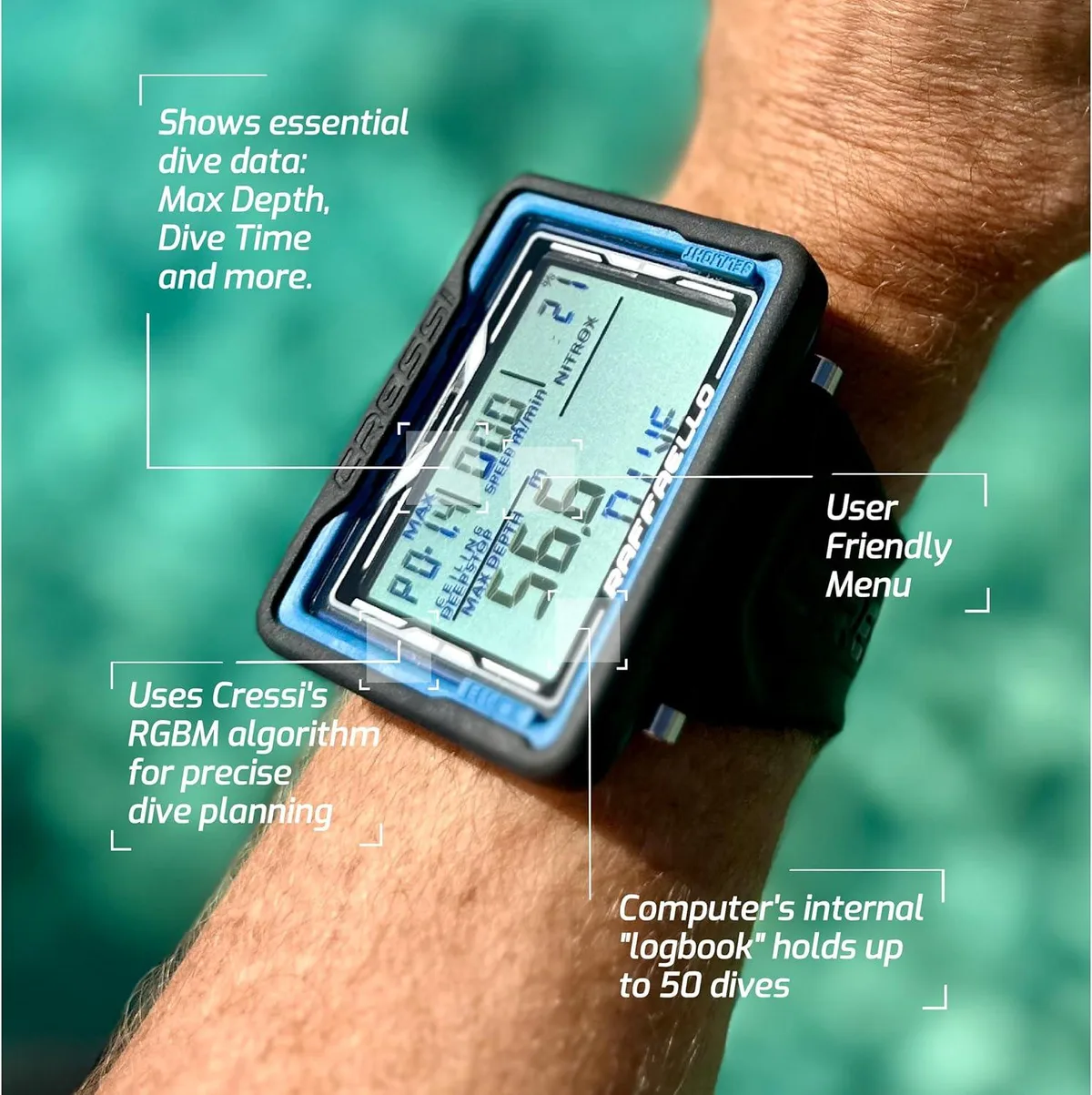
Image source: Web (Bing) / cressi-usa.com (Web image (fair-use with source credit))
What Does a Dive Computer Actually Do?
A dive computer is essentially a specialized dive instrument that tracks and calculates critical dive information in real-time. It measures your depth, time underwater, and nitrogen absorption. Based on these calculations, it tells you how much longer you can safely remain at your current depth without requiring decompression stops on ascent.
Some models can also track ascent rate and store your dive logs digitally. This constant monitoring and calculation is a significant advantage over manual dive table planning.
Key Features Every Beginner Should Know
For a beginner, focus on these core features:
- Depth Display: Shows your current depth, usually with a maximum depth indicator for the dive.
- Dive Timer: Tracks your bottom time, essential for planning subsequent dives.
- No-Decompression Limit (NDL): This is your lifeline, indicating how much time you have left at your current depth before you need to ascend.
- Ascent Rate Indicator: Alerts you if you’re ascending too fast, which can be dangerous.
- Surface Interval Timer: Automatically calculates the time spent on the surface between dives.
- Dive Log: Many computers store a log of your dives, including depth, time, and temperature, for later review.
Common Mistakes Beginners Make (and How to Avoid Them)
One of the most common pitfalls for new divers, whether using tables or a computer, is misunderstanding or ignoring ascent rates. Ascending too quickly can lead to decompression sickness (DCS), a serious condition where nitrogen bubbles form in your tissues. Dive computers are fantastic because they provide a visual or audible cue if you're going up too fast.
Always pay attention to this alarm, even if you feel fine. Slow your ascent and wait for the indicator to return to normal.
Another frequent error is neglecting to properly set up the dive computer before a dive. Some computers require you to confirm your gas mix (air or nitrox) or reset the dive log after a surface interval. If you plan on using enriched air nitrox in the future, ensure your computer is capable of handling it.
Always read your specific dive computer's manual; they can vary significantly in their operation. Finally, don’t treat your computer as infallible; always cross-reference with your dive plan and your buddy’s information.
Ignoring Ascent Rate Alarms
- Problem: Ascending too fast can cause decompression sickness.
- Solution: Slow down immediately when the ascent rate alarm sounds. Wait for it to normalize.
Improper Computer Setup
- Problem: Not setting the correct gas mix or resetting the computer for repetitive dives.
- Solution: Always consult your dive computer’s manual. Confirm settings before every dive.
Over-Reliance Without Understanding
- Problem: Treating the computer as a "black box" without understanding the underlying dive physics.
- Solution: Continue to practice with dive tables. Understand the principles your computer uses.
Your Dive Computer Verdict: Making the Smart Choice
Ultimately, while not a strict requirement for basic certification dives, a dive computer is a highly recommended piece of gear for beginner scuba divers. It dramatically simplifies the complex task of dive planning and real-time monitoring. The enhanced safety features, like ascent rate alarms and continuous NDL calculations, offer a significant layer of protection.
It also reduces the mental load, allowing you to focus more on enjoying the underwater world and less on frantic calculations.
As of 2026, entry-level dive computers are more affordable and user-friendly than ever before. For many, the cost is easily offset by the increased confidence and safety it provides, not to mention the convenience. If your budget allows, acquiring a dive computer around the time of your Open Water certification is a wise investment.
It prepares you for more advanced diving, makes repetitive diving much easier to manage, and contributes to a more relaxed and safer diving experience. For those serious about scuba, it’s not a question of "if," but "when."
Frequently Asked Questions
Do I need a dive computer for my Open Water certification?
No, you don't strictly need one for your initial certification course. Your training will teach you how to plan dives using dive tables. However, many students find it beneficial to have one if their budget allows, for added safety and ease of use during training dives.
Can I use my regular sports watch as a dive computer?
No, a standard sports watch or smartwatch typically only measures time and depth if it’s a dive-rated model. It doesn't perform the complex nitrogen loading calculations necessary to determine your no-decompression limit, which is a core function of a dive computer.
Are dive computers difficult to learn how to use?
Modern beginner dive computers are designed with user-friendliness in mind. While there's a learning curve, it's generally much less steep than mastering dive tables. Reading the manual and practicing with it in shallow, controlled conditions will help you become comfortable quickly.
How often do dive computers need servicing?
This varies by manufacturer and model. Many dive computers require a visual inspection annually and a full service every two to three years, typically by an authorized technician. Always check your computer’s manual for specific maintenance recommendations.